How to Make an AI Video With Your Friends
Vorlage auswählen
Einstellungen
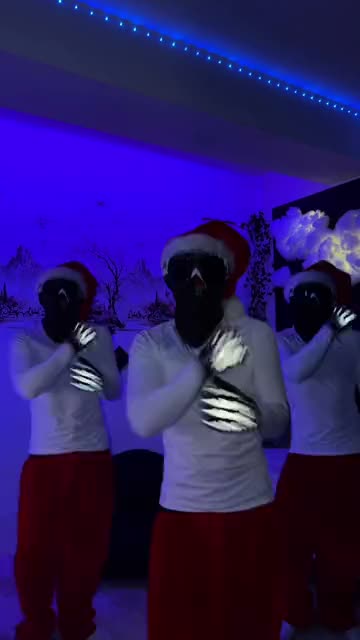 Jingle Bell Brazil Dance15 s · 100 Credits · Seedance 2.5 · 480p
Three photos, three parts, one group video for the chat that never sleeps.
Updated · By the Remix Motion team
Group trends for three
Needs all three photos: Gangnam Style.
One to three photos, the AI fills the empty parts: This Generation Rules the Nation Dance, Jingle Bell Brazil Dance, Tiny Desk and Toc Toc Dance.
Who takes which part
Each slot is a part, and its label says which: the lead singer, the first dancer, friend 1. Optional parts come after the required ones and fill in order. Put the friend who loves the spotlight in the first slot.
Photos for a group video
One friend per photo. A group photo of all three does not work: crop it into three pictures, or ask each friend for a selfie.
- Faces visible, eyes open, looking at or near the camera.
- Similar framing for all three, for example all head and shoulders.
- Daylight, no sunglasses, no heavy filter.
What it costs
A group video costs 100 credits, the same with one, two or three photos, shown on the Generate button before you press it. There is no free tier. Credit packs start at $9.90 for 100 credits and never expire; see pricing. A failed video is refunded automatically.
Make a group video in 3 steps
Pick a group trend
Choose a template above and read its slot labels.
Collect three photos
Ask your friends for a clear photo each, then upload one per slot.
Generate and drop it in the chat
Press Generate, download the video and share it with the group first.
Tips for a group video
Ask everyone first
Everyone in the video should agree to be in it before it goes online.
One price for the group
The price is the same for one photo or three, so add everyone.
Tag all three
Three circles of friends see it instead of one.
Say it is AI
Turn on the AI-generated label so nobody feels tricked.
Frequently asked questions
Can I make an AI video with three friends?
Yes. Pick a group template (today This Generation Rules the Nation Dance, Jingle Bell Brazil Dance, Tiny Desk, Toc Toc Dance and Gangnam Style), upload one photo per friend and press Generate.
Do I need all three photos?
Depends on the template. Some need all three; in others the extra parts are optional and the AI plays them. The slot labels show which.
Can I use one group photo?
No, use one photo per person so the AI knows who plays which part.
Does it cost more with three photos?
No. The price depends on the template, not on the number of photos.
Keep exploring
Make your video now
Pick a template above and upload a photo of yourself.