Which App Makes Those AI Dance Videos on TikTok?
Vorlage auswählen
Einstellungen
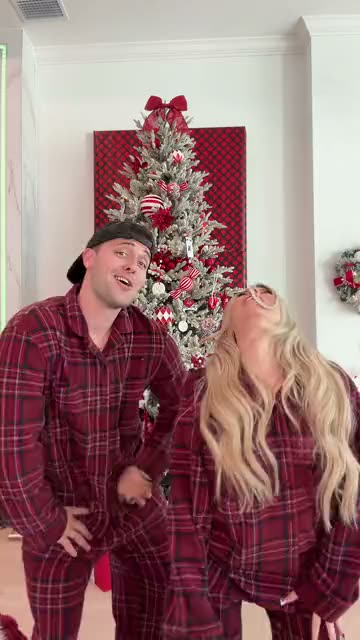 Winter Wonderland Dance15 s · 100 Credits · Seedance 2.5 · 480p
You keep seeing people and pets doing perfect viral dances. Here is what makes them, and the easiest way to make your own.
Updated · By the Remix Motion team
How these videos are made
Behind almost every one is the same idea: motion transfer. A video model studies a reference clip, the dance, and redraws it with the person or pet from your photo. The better the model follows the reference, the more the result moves like the original.
Models such as Kling, Wan and Seedance can do this. Every template here runs on Seedance 2.5.
Two kinds of tools
The difference is how much work is left to you.
| Template sites | Motion-control tools | |
|---|---|---|
| You bring | A photo | A photo and a motion clip |
| Prompt | None | Often needed |
| Settings | Already tuned per trend | Model, length, strength… |
| Any moves you want | Only the templates listed | Yes |
| Tested result before you pay | Example on each template | Rarely |
What you get here
Remix Motion is a template site: each viral trend is set up and tested once, with an example clip on its page. Today’s routines: Dip On Em Dance, Two Arms Up Dance, AI Twerk, Gas Station Dance, I Ain't Never Ran Dance, Zany Dance, Shoulder Carry Trend, This Generation Rules the Nation Dance, Dancing With Santa, Firestarter Dance, Wipe Me Down Dance, Babydoll Dance, Snowman Dance, Jingle Bell Brazil Dance, Last Christmas x Phat Dance, Christmas Pajama Dance, Winter Wonderland Dance, You're Under Arrest Dance, WYW My Sweetie Dance, Bicep Heart, Hop Hop Hop Dance, Toc Toc Dance, Can I Ride Dance, iPhone Kupi Dance, Baile Charme Dance, Gangnam Style, BbY WOW Guy and Burning Bridges. It runs in your phone or computer browser, with no app to install.
A video costs 65 to 100 credits, shown before you generate. There is no free tier; credit packs start at $9.90 for 100 credits and never expire (pricing). A failed video is refunded automatically.
The trend you want is not here?
Template sites only offer the trends they have set up. If yours is missing, request it with a TikTok link, or use a motion-control tool where you upload the dance yourself.
Make one in 3 steps
Pick the trend
Choose a template above; each one is a viral routine.
Upload a photo
Knee-up or full body works best.
Generate
Usually ready in a few minutes. Download and post.
Choosing a tool
Watch a real example first
Judge the tool by an unedited result, not by its ad.
Check the price per video
Credits are hard to compare; look for the price of one finished video.
Check failed videos
Find out whether a failed render costs you anything.
Check the watermark
Some tools add one unless you pay more.
Frequently asked questions
What app makes the AI dance videos on TikTok?
Several. They use AI motion transfer: a model copies the moves onto a photo. Some tools need a motion clip and a prompt; template sites like Remix Motion only need your photo.
Do I need to install an app?
Not on Remix Motion. It runs in the browser on your phone or computer.
Can I pick any moves I want?
Here, only the dances in the templates. You can request a missing trend with a TikTok link.
Keep exploring
Make your video now
Pick a template above and upload a photo of yourself.