How to Make Your Dog Dance With AI
Elige una plantilla
Ajustes
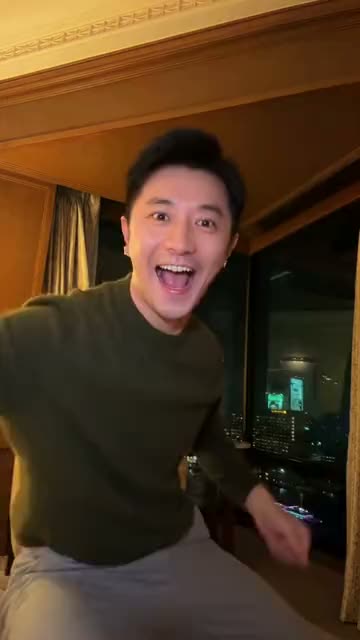 Baile iPhone Kupi15 s · 100 créditos · Seedance 2.5 · 480p
Hecho con esta plantilla
One clear photo of your dog, one viral dance: the AI does the moves, you post the result.
Updated · By the Remix Motion team
Templates that take a dog photo
Every template with a pet slot, newest first: the dances and the other pet trends.
- Nuevo10s
AI Twerk
1 foto9:16
- Tú
- Mascota
- Tendencia15s
It's My Life Dog
1 foto9:16
- Mascota
- Tendencia10s
Ain't You My Gangsta
2 fotos9:16
- Tú
- Mascota
- 2 personas
- Tendencia10s
Mei Mei Snow Leopard
1 foto9:16
- Mascota
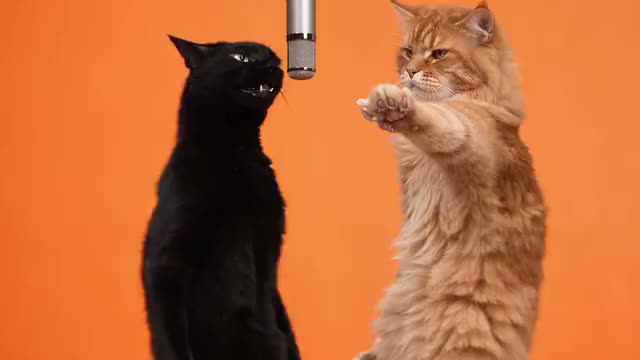 Tendencia15s
Hotel Lobby
1–2 fotos16:9
- Tú
- Mascota
- 2 personas
- Tendencia15s
iPhone Kupi Dance
1 foto9:16
- Tú
- Mascota
- Tendencia12s
Crazy Frog
2 fotos9:16
- Tú
- Mascota
- 2 personas
- Tendencia14s
Window Peeper Filter
1 foto9:16
- Tú
- Mascota
- 13s
ChatGPT Millionaire
1 foto9:16
- Tú
- Mascota
- Tendencia15s
Bulin 47
1 foto9:16
- Tú
- Mascota
- 15s
Zombie Pet
2 fotos9:16
- Mascota
- 2 personas
Which dances work with a dog
These dance templates take a pet photo: AI Twerk and iPhone Kupi Dance. Your dog does the whole routine from a single photo.
Want something other than a dance? It's My Life Dog, Ain't You My Gangsta, Mei Mei Snow Leopard, Hotel Lobby, Crazy Frog, Window Peeper Filter, ChatGPT Millionaire, Bulin 47 and Zombie Pet also take a photo of your dog. We add a pet version whenever a new trend works with animals.
The dog photo that dances best
The AI can only move what it sees. A dog standing or sitting upright, whole body in the frame, gives it legs and a tail to dance with. A close-up of the face works too, but the moves are smaller.
- One dog per photo, no people or other pets in it.
- Head and eyes clearly visible, looking at or near the camera.
- Daylight or a bright room; dark coats need more light.
- No costume that hides the body, no heavy filter.
Will it still look like my dog?
Yes, if the photo shows what makes your dog yours: the coat colour, a patch over one eye, floppy or pointed ears. The AI keeps what it can see and takes the moves, the camera and the setting from the trend.
Watch a template’s example before you pay: that is the quality you get.
Can I make my dog dance with AI for free?
Not here. Every video uses a paid AI model, so there is no free tier. A pet video costs 75 to 100 credits, shown on the Generate button before you press it. Credit packs start at $9.90 for 100 credits and never expire; see pricing.
If a video fails, the credits held for it go back to your balance automatically.
Make your dog dance in 3 steps
Pick a dance
Choose a template with a pet slot in the generator above. Each card shows the length and the price.
Upload your dog
Add one sharp photo of your dog, JPG, PNG or WebP.
Generate and post
Press Generate. The dance is usually ready in a few minutes; download it and post it with the trend’s sound.
Tips for a dog dance people share
Name the dancer
Put your dog’s name in the caption. People follow a name, not a breed.
Use the trend’s sound
Pick the trending song in TikTok or Instagram so your dog shows up next to the human versions.
Post early
Pet versions spread fastest in the first days of a trend.
Say it is AI
Turn on the AI-generated label. Dog lovers enjoy the joke more when nobody feels tricked.
Frequently asked questions
How do I make my dog dance with AI?
Pick a dance template that takes a pet, upload one clear photo of your dog and press Generate. The AI makes your dog do the trend’s dance in a short video.
Which dance trends can my dog do?
Today: AI Twerk and iPhone Kupi Dance. Other pet trends that are not dances: It's My Life Dog, Ain't You My Gangsta, Mei Mei Snow Leopard, Hotel Lobby, Crazy Frog, Window Peeper Filter, ChatGPT Millionaire, Bulin 47 and Zombie Pet.
Is it free to make my dog dance with AI?
No. Every video uses a paid AI model; a pet video costs 75 to 100 credits, shown before you generate. Credit packs start at $9.90 for 100 credits, and failed videos are refunded automatically.
Can I be in the video with my dog?
Yes, on the templates with two photo slots, one for your dog and one for you. The guide on AI videos with your pet lists them.
Does the video have music?
Some dance templates are silent on purpose so you can add the trend’s song when you post; each template page says so. The others have sound generated for the video.
Keep exploring
- AI Pet VideoPut your dog or cat in a viral trend from one photo.
- AI Dance GeneratorTurn one photo into a video of you doing a viral dance.
- AI Video With Your PetBe in the same video as your dog or cat.
- Make Your Cat Dance With AIThe cat version: photos that work and the dances to pick.
- All AI video templatesEvery trend template on Remix Motion, in one place.
Make your video now
Pick a template above and upload a photo of yourself.