Genjutsu AI: What It Is and How to Get the Look
An unofficial guide to the Genjutsu AI video tool, and a simpler way to put yourself in a trending video.
Updated
Select template
Settings
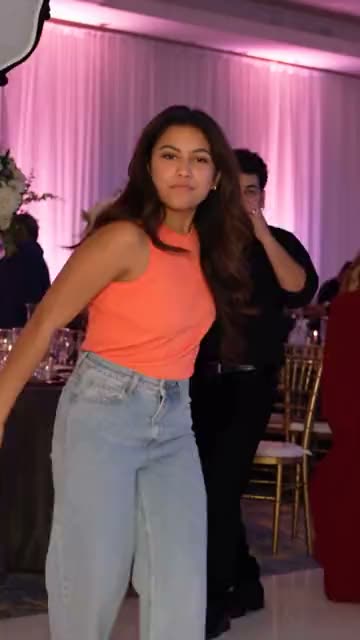 Party Guy9s · 80 credits · Seedance 2.5 · 480p
Made with this template
What is Genjutsu AI?
Genjutsu AI is the name Higgsfield gave to a set of video tools it released in September 2026. The main modes of Genjutsu AI move the motion of one video onto a person in an image (motion transfer) or replace an object in a clip with another one (object swap). A lighter mode for everyday trends has followed since.
The name comes from anime, where a genjutsu is an illusion cast on whoever looks at it. That fits the Genjutsu AI videos: a friend who never danced is suddenly mid-routine, a pet stands where a person stood. Searches for genjutsu ai peaked in early October 2026 and have settled since, but the trend videos keep circulating on TikTok, Instagram and X.
How Genjutsu AI works
Genjutsu AI asks for three things: a source video with the motion you want, an image of the person or object to put in, and a text prompt that tells the model what to change. You then pick a length and a resolution. That flexibility is the strength of Genjutsu AI, and also why many first attempts miss: the prompt, the framing of the source video and the image all have to line up.
As of October 2026 the official Genjutsu AI runs inside a paid Higgsfield plan, priced per second of video on top of the subscription. Check the official site for current prices; they change often.
Is there a free Genjutsu AI?
Not an official one that we know of. Higgsfield has warned users about look-alike sites with genjutsu in their name, so be careful where you upload your photos: an unofficial site that says it is the real Genjutsu AI is a red flag.
Remix Motion is not a free Genjutsu AI alternative either, and says so. Every video costs credits, the price shows before you generate, and credit packs start at $9.90 for 100 credits. A failed video gives its credits back automatically.
Get the Genjutsu AI look with a ready-made template
Most people who search for genjutsu ai want one thing: a video of themselves inside a trend they just saw. For that you do not need a prompt or a source video. Our AI video templates start from the trend itself: the motion, scene and camera are set up, and you add one photo.
Dance trends have their own page, the AI Dance Generator, with a generator that offers dance templates only. The generator above lists every template we have.
- No prompt, unlike Genjutsu AI: each template has its scene written and tested.
- One or two photos, depending on the template.
- Price per template shown before you start.
- Vertical video sized for TikTok, Reels and Shorts.
Genjutsu AI vs. Remix Motion templates
Choose Genjutsu AI when you want full control: your own source video, any object, your own prompt. Choose a Remix Motion template when you want the Genjutsu AI look on a known trend quickly and would rather not tune prompts.
| Genjutsu AI | Remix Motion | |
|---|---|---|
| What you provide | Video, image and prompt | One or two photos |
| Prompt writing | Yes | No |
| Any video as the source | Yes | No, trend templates only |
| Payment | Subscription plus per-second use | One-time credit packs |
| Failed video | See Higgsfield’s terms | Credits back automatically |
About Genjutsu AI prompts
Prompt lists for Genjutsu AI circulate on social media. If you use the official Genjutsu AI, keep prompts short and describe only what should change, not the whole scene; the source video already holds the motion. On Remix Motion there is nothing to write: each template’s prompt is fixed and reviewed by us, which also keeps every video within our content rules.
How to get the Genjutsu AI look without a prompt
Pick a trend template
Choose a template in the generator above; no Genjutsu AI account needed. Each one shows its length, photos and price.
Upload your photo
Add a clear photo of yourself, or of an adult who agreed to be in the video.
Generate and download
Press Generate and download the video when it is ready, usually in a few minutes.
Tips for Genjutsu AI-style videos that look real
Use a sharp, front-facing photo
The face in your photo is the face in the video. Blurry or side-on photos give blurry, side-on results.
Match the scene
A dressed-up photo suits a party template; a casual one suits a street dance.
Keep your photos private
Upload only to sites you trust, especially sites that claim to be Genjutsu AI. On Remix Motion, photos and videos stay private in your account.
Label it as AI
Turn on the platform’s AI label when you post. Every Remix Motion video also carries one in its file.
Frequently asked questions
Is Remix Motion the official Genjutsu AI?
No. Remix Motion is an independent site and is not affiliated with Higgsfield. Genjutsu AI is Higgsfield’s product; this page only explains it and shows a different way to make trend videos.
Is Genjutsu AI free?
As of October 2026 the official Genjutsu AI needs a paid Higgsfield plan. Remix Motion is not free either: videos are paid with credits, and failed videos are refunded automatically.
What can Genjutsu AI do?
Genjutsu AI moves the motion of a source video onto a person in an image, swaps objects in a clip, and offers a lighter mode for everyday trends. It works from a video, an image and a prompt.
Do I need a prompt on Remix Motion?
No, unlike Genjutsu AI. Every template has its prompt written and tested by us. You pick the template and upload your photo.
Can I upload my own video as the source, like in Genjutsu AI?
Not yet. Remix Motion works from trend templates only; uploading your own source video may come later, once our safety checks cover it.
Is the Genjutsu AI trend safe for photos of friends?
Only with their consent. On Remix Motion everyone in your photos must be an adult who agreed to be in the video, and photos of celebrities are not allowed.
Keep exploring
Make your video now
Pick a template above and upload a photo of yourself.