How to Make an AI Dance Video With Two People
選擇範本
設定
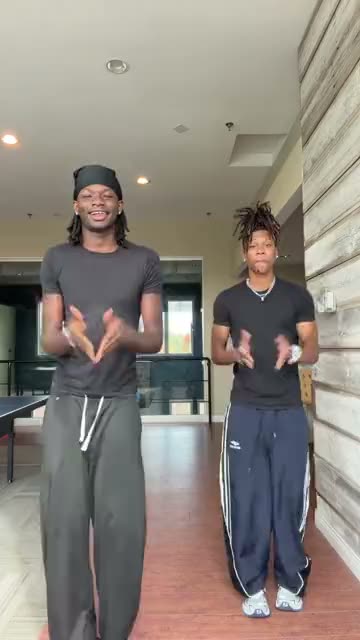 Can I Ride Dance10 秒 · 90 點 · Seedance 2.5 · 480p
You and anyone else, side by side in a viral routine, from one photo each.
Updated · By the Remix Motion team
Trends for two dancers
These routines have a slot for a second dancer: Two Arms Up Dance, I Ain't Never Ran Dance, Zany Dance, Shoulder Carry Trend, Wipe Me Down Dance, Babydoll Dance, Snowman Dance, Last Christmas x Phat Dance, Christmas Pajama Dance, Winter Wonderland Dance, Hop Hop Hop Dance and Can I Ride Dance. The generator above also shows the two-person templates that are not dances.
In most of them the second dancer is optional. Leave the slot empty and the AI dances with you; fill it and your friend joins.
Who to pick as your partner
Any two people work: best friends, siblings, a parent and a grown-up child, two colleagues for the team chat. The trend decides the moves, so neither of you needs to know the dance.
Ask the other person before you upload their photo, and show them the video before you post it.
Photos that move well
One person per photo. The AI needs a body to move, so half-body or full-body photos beat close-up selfies.
- Face visible, looking at or near the camera.
- Arms and shoulders in the frame; full body is best.
- Daylight, no sunglasses, no heavy filter.
- Each photo in the slot whose label fits (You, Dance partner).
What it costs
A two-person video costs 75 to 100 credits, the same with one photo or two, shown on the Generate button before you press it. There is no free tier. Credit packs start at $9.90 for 100 credits and never expire; see pricing. A failed video is refunded automatically.
Make it in 3 steps
Pick a routine
Choose a template above with a second dancer slot.
Upload two photos
One photo of you, one of your partner, each in its own slot.
Generate and post
Press Generate, download the video and post it with the trend’s sound.
Tips for a duo video people share
Unexpected pairs win
You and your grandad doing a TikTok routine gets more shares than two people who already perform.
Tag each other
Both of your friends see it, and some will make their own.
Post while it is trending
Duo versions spread fastest in the first days of a trend.
Say it is AI
Turn on the AI-generated label so nobody feels tricked.
Frequently asked questions
Can I make an AI dance video with two people?
Yes. Pick a two-person dance (today Two Arms Up Dance, I Ain't Never Ran Dance, Zany Dance, Shoulder Carry Trend, Wipe Me Down Dance, Babydoll Dance, Snowman Dance, Last Christmas x Phat Dance, Christmas Pajama Dance, Winter Wonderland Dance, Hop Hop Hop Dance and Can I Ride Dance), upload one photo of each person and press Generate.
Do we both need to know the moves?
No. The moves come from the trend; your photos only decide who dances.
Does a second photo cost more?
No. The price depends on the template, not on how many photos you add.
Can I use one photo of the two of us?
Use two separate photos, one person in each, so the AI knows who is who.
Keep exploring
- AI Dance GeneratorTurn one photo into a video of you doing a viral dance.
- AI Christmas DancePut yourself in a viral Christmas dance from one photo.
- AI Couple VideoThe couple version, for anniversaries and Valentine’s Day.
- AI Video With Three FriendsThree photos, one group trend.
- All AI video templatesEvery trend template on Remix Motion, in one place.
Make your video now
Pick a template above and upload a photo of yourself.