Party Guy AI Video Template: Dance Through the Party
Nine seconds of pure party energy: you dance in, take a bite, stare down the camera and dance away.
Updated
Select template
Settings
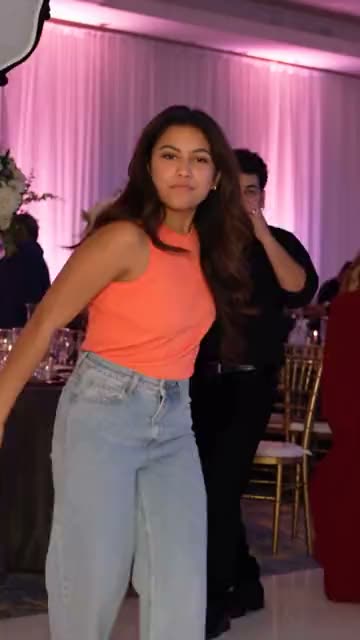 Party Guy9s · 80 credits · Seedance 2.5 · 480p
Made with this template
What is the Party Guy AI video template?
The Party Guy AI video template is one continuous shot. From the first frame you are already on the dance floor, dancing toward the camera with a pastry in hand. You take a big bite, stop for a beat and stare straight into the lens with full cheeks.
Then you dance away into the crowd as the music keeps going. The deadpan stare is the joke, so the template keeps your face sharp for that moment. The motion follows a private depth reference, and the person from the original clip never appears: you do.
Where the Party Guy trend comes from
The template recreates the BbY WOW Guy clip. The original was filmed on a phone by another guest at a quinceañera in Mexico: a man dances toward the camera, takes an enormous bite of pan dulce (most people say a concha), stares into the lens while chewing, with no smile and the look held a second too long, then dances off. It first spread on Spanish-speaking TikTok in mid-2025. In October 2026 it came back when green-screen templates set it to the “tell me, tell me, baby” line of a new hit song, so the bite lands right on the beat, and within days it was one of the fastest-rising searches of the month. People post it as a reaction, with captions like “me walking into the family party” or “the last guest to leave”. Nothing in the clip is a joke on purpose, and that is the joke: total confidence, zero self-awareness. We never name the man in the original, who is a private person; in the Party Guy AI video template only you appear.
Why the Party Guy trend works
The Party Guy AI video template works because of one beat: the bite and the stare. Everything else moves, and for a second you do not, staring into the camera with full cheeks as if daring the viewer to say something. That deadpan pause is the part people screenshot and reuse as a reaction. The one-take camera keeps it feeling like a real party clip rather than an effect.
Key features of the Party Guy AI video template
- No prompt: the Party Guy scene, camera and timing are set.
- Party Guy videos run 9 seconds, like the original.
- A vertical 9:16 Party Guy video with sound.
- No visible watermark on your Party Guy video.
Ideas for your Party Guy video
- Use it as a reaction video: post it in reply to a friend’s party story.
- Pick a photo where you look very serious; the contrast is the joke.
- Post it right after a real party with a caption about the snacks.
Best photos for the Party Guy AI video template
The Party Guy template asks for 1 photo: you (dances past with a pastry).
- A clear, front-facing photo: the stare into the camera is the punchline.
- Waist-up or full-body works; party clothes fit the scene.
- Only you in the frame; the AI fills the dance floor around you.
Party Guy AI video template vs filming it yourself
| Party Guy template | Filming it yourself | |
|---|---|---|
| You need | One photo | A camera, a location and a helper |
| Time | A few minutes | Hours of filming and editing |
| Timing | Matches the Party Guy trend | Depends on your takes |
| If it fails | Credits back | Film it again |
How much the Party Guy AI video template costs
One Party Guy video costs 80 credits before you generate. Credit packs start at $9.90 for 100 credits and never expire, with no subscription; see pricing.
How to make your Party Guy video
Check the Party Guy template
The Party Guy AI video template is already selected in the generator above, at 80 credits per video.
Upload your photo
Use clear photos of yourself, of adults who agreed to be in your Party Guy video, or of your pet where the template allows it.
Generate and post
Press Generate and download your Party Guy video when it is ready, usually in a few minutes. Add the Party Guy trend’s sound when you post.
Posting tips for your Party Guy video
Post while it trends
Post your Party Guy video while people still search for it.
Use the trend’s sound
The app then shows your Party Guy video next to the others.
Tag who you made it with
A Party Guy video travels further when they share it too.
Label it as AI
Turn on the AI label for your Party Guy video.
More like this
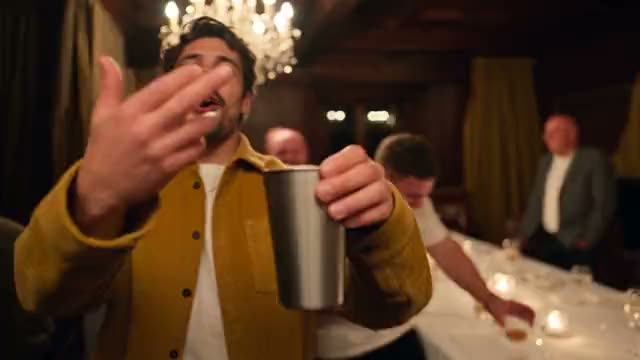 15s
15sChandelier Party
1 photo100 credits
- You
- Trending15s
Street Freestyle
1 photo100 credits
- You
- Pet
- Trending15s
Love Story
2 photos100 credits
- You
- 2 people
- 15s
Pet Reunion
2 photos100 credits
- Pet
- 2 people
Frequently asked questions
Is the Party Guy AI video template free?
No. Each Party Guy video costs 80 credits before you generate, and a failed Party Guy video gives its credits back.
Can a woman be the party guy?
Yes. The template follows whoever is in your photo; the name is just what the trend is called.
Is the person from the original clip in the video?
No. The video shows only you; the original person never appears, and we do not name him.
Why nine seconds?
That is the natural length of the clip. Every template keeps its trend’s own length.
What is he eating in the original clip?
Pan dulce, a Mexican sweet bread; most people say it is a concha. In your Party Guy video the pastry is part of the scene, so you do not need one in your photo.
Was the original filmed at a wedding?
No, at a quinceañera, a fifteenth-birthday party. The Party Guy AI video template keeps the party setting, the crowd and the music.
Can I use a photo of a celebrity in the Party Guy video?
No. Use only photos of yourself or of adults who agreed to be in the Party Guy video. Photos of celebrities and other public figures are not allowed under our Acceptable Use Policy.
Keep exploring
Make your video now
Pick a template above and upload a photo of yourself.