How to Make an AI Video of You Singing
Select template
Settings
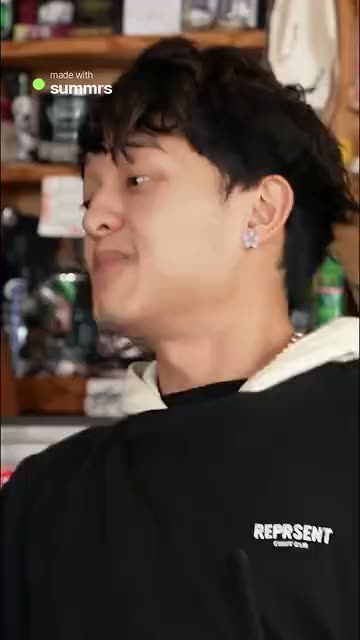 Tiny Desk15s · 100 credits · Seedance 2.5 · 480p
You do not need to hit a single note. One photo puts you at the mic in a viral performance.
Updated · By the Remix Motion team
Performances you can star in
Today you can sing, rap or lead the band in It's My Life Dog, Hotel Lobby, Tiny Desk and Bulin 47. Some take friends too: leave a seat empty and the AI plays that part. Open a template page to watch its example first.
Whose voice is it?
You are the singer on screen: your face, your outfit, your moves. The sound is a new track made for the video, and the voice comes with it. It is not a recording of you, and it is not the song from the trend.
That is why most people post it with the trend’s sound added in TikTok or Instagram, where the song is licensed. If you want the video to sing a song you choose, word for word in your own voice, you need a lip-sync tool that takes an audio file. Remix Motion makes videos, not music.
The photo that performs best
Performance shots are close: face, mouth and hands matter most.
- Waist-up, facing the camera, mouth not covered.
- No sunglasses or hand over the face.
- Even light; your face should be sharp.
- One person per photo; templates that take a pet photo let your pet sing.
What it costs
A performance video costs 100 credits, shown on the Generate button before you press it. There is no free tier. Credit packs start at $9.90 for 100 credits and never expire; see pricing. A failed video is refunded automatically.
Get on stage in 3 steps
Pick a performance
Choose a template above and watch its example.
Upload your photo
Waist-up, face clear. Add friends where there are seats.
Generate and post
Usually a few minutes. Add the trend’s sound when you post.
Tips for a better performance
Cast the band
Give the solo to the friend who never sings at karaoke.
Big expression
A photo with a smile or open mouth reads better at the mic.
Sync the sound
When you add the trend’s song, drag it until the moves hit the beat.
Say it is AI
Turn on the AI-generated label when you post.
Frequently asked questions
Can I make an AI video of me singing?
Yes. Pick a performance template, upload one photo and you appear as the singer or rapper, usually in a few minutes.
Will it use my own voice?
No. The track and the voice are made for the video. Your face and look come from your photo.
Can I choose the song?
Not here: each template has its own new track. Add the trend’s song in TikTok or Instagram when you post, or use a lip-sync tool for a song of your choice.
Which templates let me sing?
Today: It's My Life Dog, Hotel Lobby, Tiny Desk and Bulin 47.
Keep exploring
Make your video now
Pick a template above and upload a photo of yourself.