Can I Choose the Moves in an AI Dance Video?
Select template
Settings
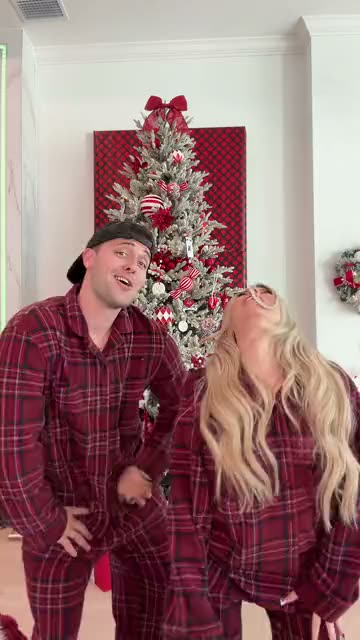 Winter Wonderland Dance15s · 100 credits · Seedance 2.5 · 480p
You choose the dance, not each step. Here is what that means in practice.
Updated · By the Remix Motion team
The dances you can choose from
Each of these is a different routine: Dip On Em Dance, Two Arms Up Dance, AI Twerk, Gas Station Dance, I Ain't Never Ran Dance, Zany Dance, Shoulder Carry Trend, This Generation Rules the Nation Dance, Dancing With Santa, Firestarter Dance, Wipe Me Down Dance, Babydoll Dance, Snowman Dance, Jingle Bell Brazil Dance, Last Christmas x Phat Dance, Christmas Pajama Dance, Winter Wonderland Dance, You're Under Arrest Dance, WYW My Sweetie Dance, Bicep Heart, Hop Hop Hop Dance, Toc Toc Dance, Can I Ride Dance, iPhone Kupi Dance, Baile Charme Dance, Gangnam Style, BbY WOW Guy and Burning Bridges. Open a template page to watch the moves in its example before you pick.
Why the moves are fixed
A trend is funny or catchy because everyone does the same moves. The template keeps them, so your video reads as that trend the moment it starts. Each one is tested before it goes live, and the example on its page shows what to expect.
Tools that let you write a prompt or upload your own motion clip give you more freedom, and more failed tries. If you need your own routine, see using your own dance video.
What you do control
- Who dances: the template follows the person in your photo, whoever that is.
- How many: some routines take a second or third photo.
- Your look: the outfit and hair come from your photo.
- The moment: post it with the trend’s sound so it joins the trend.
Pick your dance in 3 steps
Watch the examples
Open a few templates and compare the moves.
Upload your photo
Knee-up or full body, arms visible.
Generate
Usually a few minutes. Download and post.
Choosing the right routine
Match the energy
Big jumps suit a full-body photo; small hand moves work waist-up.
Go with the trend
A trend people are posting right now is easier to join.
Missing a trend?
Send a TikTok link on the Request a trend page.
Try a duo
Two-person routines are made for tagging a friend.
Frequently asked questions
Can I customize the dance style?
You choose the style by choosing the template. The moves inside a template are the trend’s and cannot be edited.
Can I pick hip hop or K-pop moves?
Not as a setting. Pick the template whose moves you like; if a trend is missing, request it with a TikTok link.
How many dances can I choose from?
28 today: Dip On Em Dance, Two Arms Up Dance, AI Twerk, Gas Station Dance, I Ain't Never Ran Dance, Zany Dance, Shoulder Carry Trend, This Generation Rules the Nation Dance, Dancing With Santa, Firestarter Dance, Wipe Me Down Dance, Babydoll Dance, Snowman Dance, Jingle Bell Brazil Dance, Last Christmas x Phat Dance, Christmas Pajama Dance, Winter Wonderland Dance, You're Under Arrest Dance, WYW My Sweetie Dance, Bicep Heart, Hop Hop Hop Dance, Toc Toc Dance, Can I Ride Dance, iPhone Kupi Dance, Baile Charme Dance, Gangnam Style, BbY WOW Guy and Burning Bridges.
Can a man do the dance?
Yes. The template follows the person in your photo, so anyone can do any routine.
Keep exploring
Make your video now
Pick a template above and upload a photo of yourself.