How to Make an AI Christmas Video for Your Family
Select template
Settings
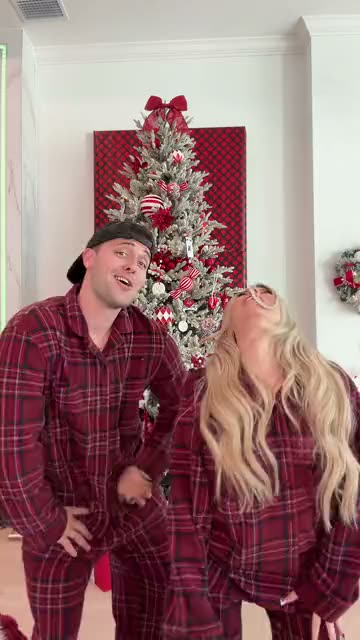 Winter Wonderland Dance15s · 100 credits · Seedance 2.5 · 480p
This year the family chat gets a Christmas video starring the family, not another forwarded GIF.
Updated · By the Remix Motion team
Christmas templates
This season’s Christmas trends: Dancing With Santa, Snowman Dance, Jingle Bell Brazil Dance, Christmas Downstairs, Last Christmas x Phat Dance, Christmas Pajama Dance and Winter Wonderland Dance.
For two of you, say you and your mum or two siblings: Snowman Dance, Jingle Bell Brazil Dance, Last Christmas x Phat Dance, Christmas Pajama Dance and Winter Wonderland Dance. The second slot is optional, so they work solo too.
Ideas for the family
Ask each person before you use their photo; most families are happy to star, but some prefer the private chat to a public post.
- You and a sibling in matching pyjamas, sent to the parents on Christmas morning.
- Grandpa and grandma dancing, played on the TV after dinner.
- One video per family member, posted one a day in the run-up to Christmas.
- A video for relatives you will not see this year, instead of a card.
Make it before the rush
A video is usually ready in a few minutes, but give yourself a day or two before Christmas Eve: collecting good photos from the family takes longer than generating.
What it costs
A Christmas video costs 75 to 100 credits, shown on the Generate button before you press it. There is no free tier. Credit packs start at $9.90 for 100 credits and never expire, so leftovers keep for next year; see pricing. A failed video is refunded automatically.
Make a family Christmas video in 3 steps
Pick a Christmas trend
Choose a template above; two-person ones have a second slot.
Add the family photos
One clear photo per person, each in its own slot.
Generate and send
Press Generate, download the video and drop it in the family chat.
Tips
Collect photos early
Ask for clear, front-facing photos a week ahead.
Keep it for the big screen
Cast the video to the TV on Christmas Day.
Credits keep
Leftover credits never expire, so they are there for New Year or next Christmas.
Say it is AI
Older relatives may not spot it. Say so in the message.
Frequently asked questions
Can I make an AI Christmas video with my family in it?
Yes, up to two people per video in the two-person Christmas templates (today Snowman Dance, Jingle Bell Brazil Dance, Last Christmas x Phat Dance, Christmas Pajama Dance and Winter Wonderland Dance). Make one video per pair for a bigger family.
Which Christmas templates are there?
Today: Dancing With Santa, Snowman Dance, Jingle Bell Brazil Dance, Christmas Downstairs, Last Christmas x Phat Dance, Christmas Pajama Dance and Winter Wonderland Dance. New holiday trends are added as they appear.
How much does a Christmas video cost?
75 to 100 credits, shown before you generate. Credit packs start at $9.90 for 100 credits, and failed videos are refunded automatically.
Can I send it on WhatsApp?
Yes. Download the video file and send it in any chat app, or post it on TikTok or Instagram.
Keep exploring
Make your video now
Pick a template above and upload a photo of yourself.